Product News
Android CLI Now Stable 1.0: Accelerate developing for Android using any agent
5-min read



As Android developers, you have many choices when it comes to the agents, tools, command-line interfaces (CLI), and LLMs you use for app development. Whether you use Gemini in Android Studio, Antigravity 2.0, Antigravity CLI, or third-party agents like Anthropic's Claude Code or OpenAI'sCodex, our mission remains the same: to ensure that high-quality Android development is possible everywhere.
At Google I/O ‘26, we shared the latest leaps forward in agentic development, and showcased some of the newest capabilities of Android CLI—now stable at version 1.0 and ready for all Android developers to use. From new skills to enabling agent access to powerful Android Studio capabilities, we’re giving your agents the right tools to build alongside you.
If you’re already using Android CLI and want to jump into using all the new features, just run android update. Otherwise, read further to learn more about how we’re making the agents you choose be better at building for Android.
Android development unlocked for Antigravity
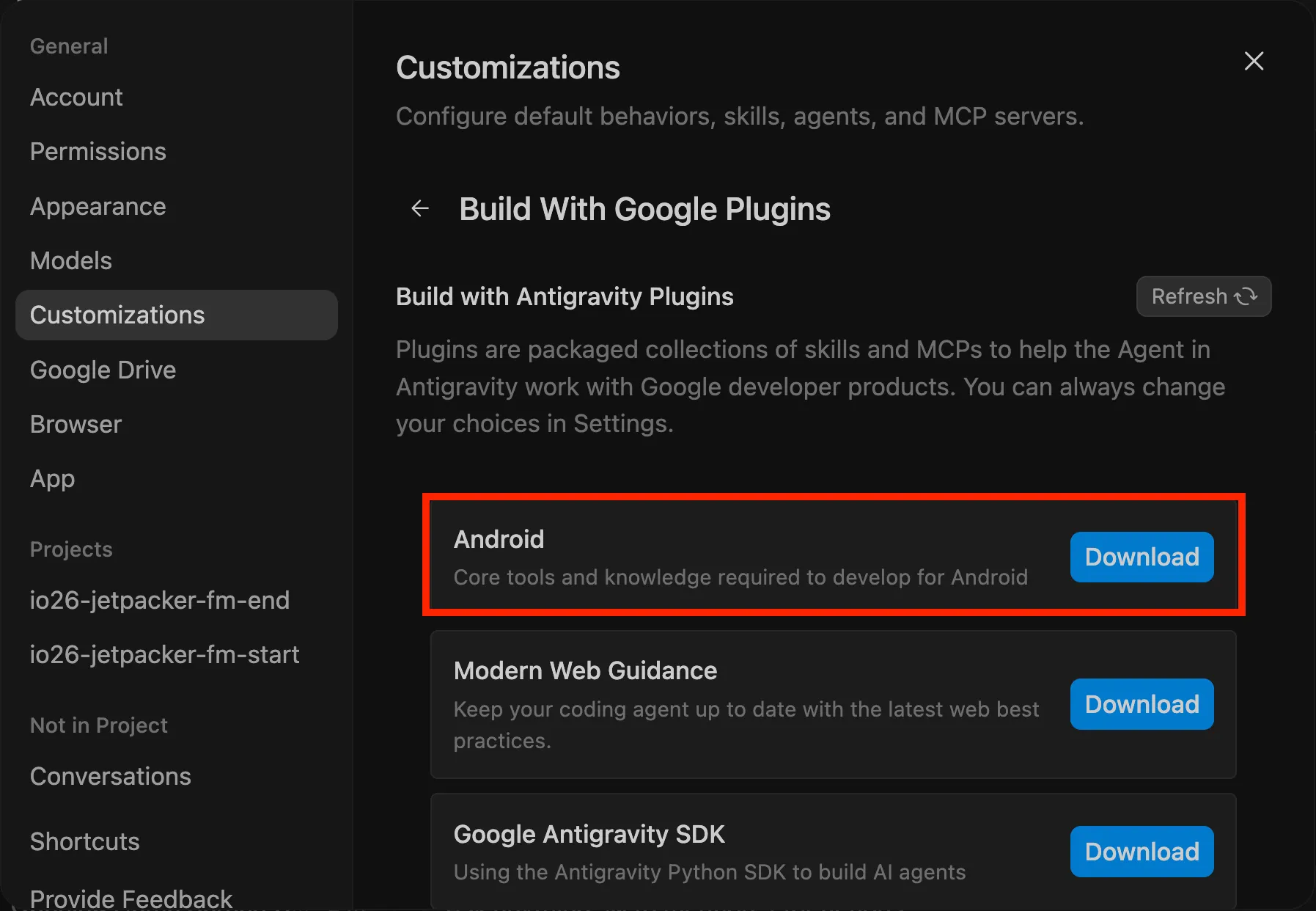
Google Antigravity now includes an optional bundle of Android resources—including the Android CLI and skills—that you can install. You can either install the bundle during onboarding after installation, or later from the Settings > Customizations > Build With Google Plugins menu.
This provides Antigravity with all the powerful tools and knowledge of Android CLI, enabling it to perform the core tasks necessary for Android app development more easily and efficiently—from creating projects to deploying your app on a new Android virtual device.
Unlocking Android Studio capabilities for any agent
Android CLI provides a lightweight interface for AI Agents to perform tasks and retrieve knowledge about Android development. However, there's benefits to specialization — Android Studio contains over a decade of Android expertise, built to handle even the most complex Android projects. This includes Android Studio's powerful static analysis engine, refactoring tools, dependency management, UI design and rendering libraries, and more. AI Agents can now tap into Android Studio's tools to gain many of these same capabilities.
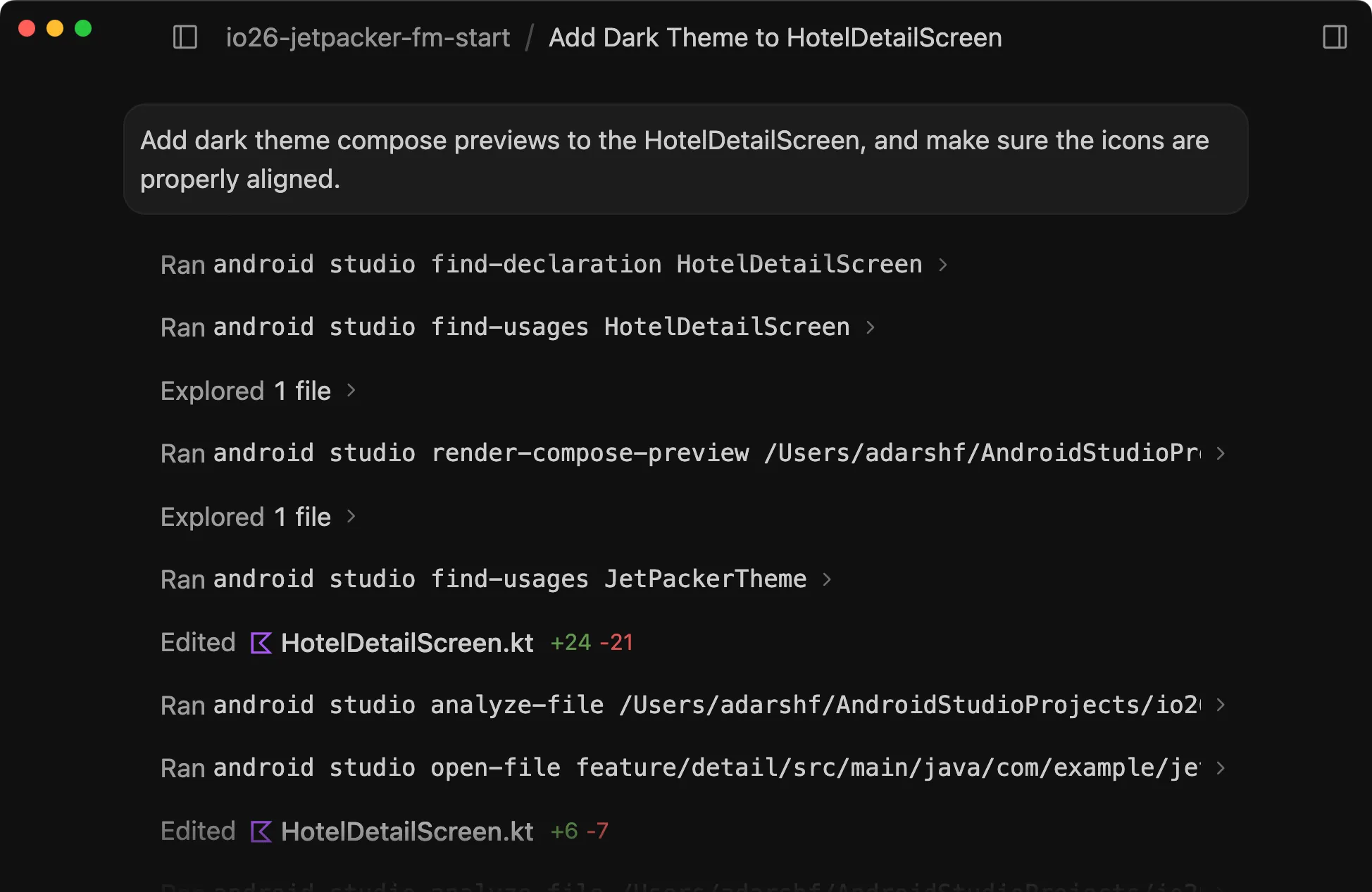
The latest version of Android CLI introduces the new android studio command. This enables the agent of your choice to leverage the deep, contextual capabilities of Android Studio to better understand and perform actions on an open Android project. By running Android Studio alongside your preferred agent with Android CLI, your agent’s tasks can more efficiently navigate the codebase to produce more precise code changes. And, when you use Android CLI to create and iterate on your project, transitioning to Android Studio is much easier, so that you can use the purpose built tools—such as, performance profilers, Compose Previews, and Android Device Streaming—to get that production-grade polish.
When you have a project open in the latest preview version of Android Studio Quail, you (or your agent) can run the following command to check whether Android CLI has a connection established with your open project:
$ android studio check
pid: 32942
version: Android Studio
Projects:
    READY     JetSet /Users/adarshf/AndroidStudioProjects/jetset-main
From there, the agents can use the android studio command to access powerful IDE tools to interact with projects more efficiently. Key commands include:
- analyze-file: Analyzes a file for errors and warnings using the editor's built-in inspections.
- find-declaration: Finds the exact definition site of a symbol (class, method, variable, field, constant, or Android resource/color) across the project using semantic resolution.
- find-usages: Finds all references and declarations of a symbol (class, method, variable, or Android resource) across the entire project using semantic analysis.
- render-compose-preview: Renders a Jetpack Compose UI Preview and returns a path to the image and UI hierarchy if successful.
- version-lookup: Get the latest information about which versions for specified app dependencies are available in common repositories, such as the Google Maven repository. By providing a programmatic solution, dependency management is less tedious and much less prone to flakiness.
- open-file: Opens a file directly in Android Studio. This is useful if the agent wants to direct your attention to view Compose Previews, performance traces, or other specific files in the IDE.
For example, agents can now run the following commands to render a Compose preview for a new layout for your Android app, and then open the previews in Android Studio for you to take advantage of seeing multiple Compose Previews side by side and make AI-assisted edits right from the IDE.
$ android studio find-declaration HotelDetailScreen
$ android studio analyze-file .../JetPacker/feature/detail/src/main/java/com/example/jetset/feature/detail/HotelDetailScreen.kt
$ android studio open-file feature/detail/src/main/java/com/example/jetset/feature/detail/HotelDetailScreen.kt
To learn more about how to use these commands, run android help. And, to make sure your agents understand how to work with this tool, make sure to update the Android CLI skill by running android init.
More ways to get started
To make integrating Android CLI into your environments as seamless as possible, we’re making it available in more ways. You can now download and install Android CLI using more package managers: apt-get, winget, and homebrew. For example, you can run the following to install Android CLI using winget:
winget install -e --id Google.AndroidCLI
We’ve also updated the installation to a user-local directory, by default. You can find the commands for all supported operating systems plus additional download options on the Android CLI page.
Support for Journeys
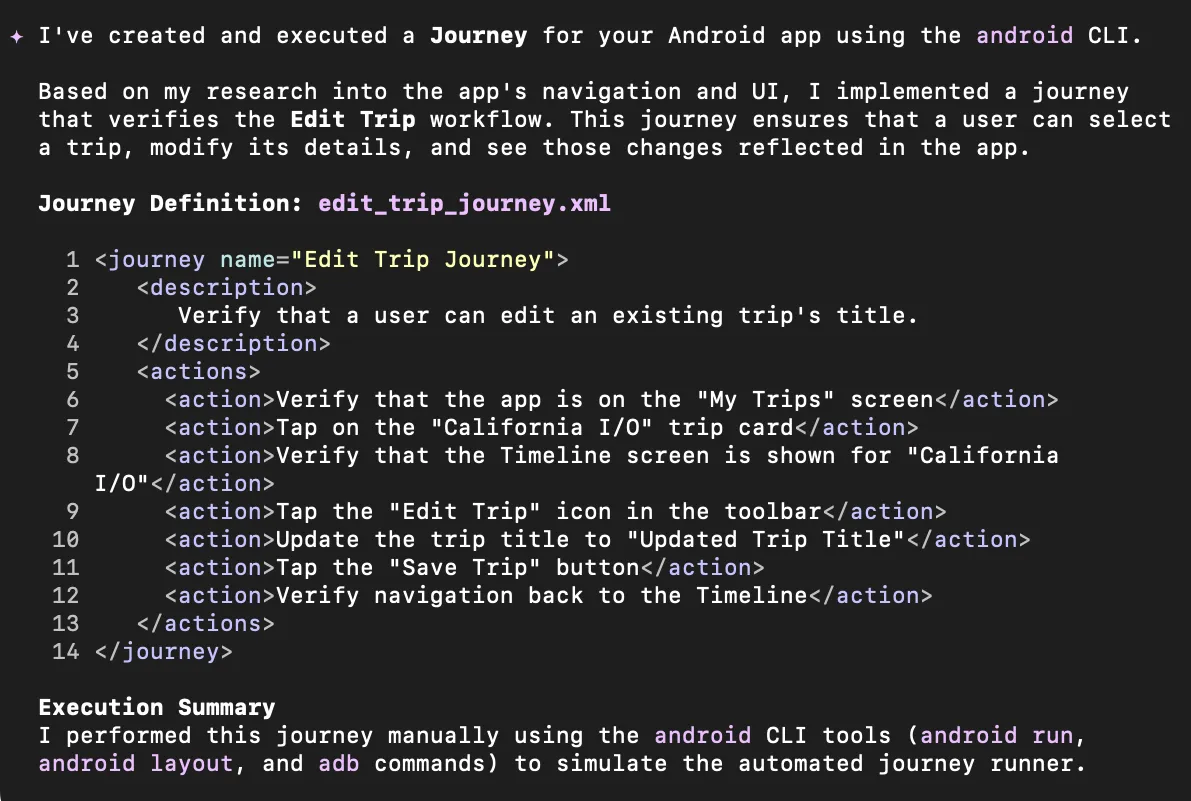
We are also introducing support for Journeys. With Journeys tools and skills included with Android CLI, any agent of your choice can now create and run Journeys—which are natural language descriptions of user journeys for your app that are saved directly to your project.

Agents can run these journeys using the Android CLI to navigate your app exactly like a user would. This unlocks entirely new ways to test, validate, or collect data across the critical experiences of your app, all driven by natural language and executed by your agent.
Expanding Android skills
To help models better understand and execute specific patterns that follow our best practices, we are continuing to expand our library of Android skills. We’re shipping new skills that make Android development everywhere more capable, efficient, and productive:
- Display Glasses and Jetpack Compose Glimmer for XR: Provides guidelines for developing projected applications for Android Display Glasses using the Jetpack Compose Glimmer UI toolkit.
- Migration to CameraX: Helps you migrate legacy Android camera implementations (Camera1 or raw Camera2 APIs) to CameraX.
- Perfetto SQL: Translates natural language data prompts into Perfetto SQL queries and executes them against a local trace file.
- Adaptive UI: Instructions to make or update an app's UI so that it adapts to different Android devices
- Testing setup: Creates a basic testing strategy.
- Styles: Helps with adoption of the new Jetpack Compose Style API for new components, and supports migration to Styles API.
- AppFunctions: Analyzes Android codebases to recommend and implement new AppFunctions, and refines KDoc documentation for Model Context Protocol optimization.
You can add these new skills to your workflow directly from the command line. To help your agents understand and use Android CLI right away, you can initialize your environment and install the base android-cli skill by running:
android init
From there, you can browse and set up your agent workflow by searching for the exact capabilities your agent needs:
android skills list
Once you've found the right skill, install it to your environment by running:
android skills add –skill=
Get started today
To download the stable 1.0 release of the Android CLI, explore the new tools, and browse the complete documentation, head over to d.android.com/tools/agents today! Also, make sure you update to the latest preview version of Android Studio to unlock the latest features that Android CLI offers. We can't wait to see what you build with Android CLI 1.0 and how these new features supercharge your daily workflows. Join our vibrant community on LinkedIn, Medium, YouTube, or X and share your feedback.
Explore this announcement and all Google I/O 2026 updates on io.google.
Written by:
Continue reading
-



Product News
We're excited to launch Developer Preview 4 of the Android XR SDK, continuing our focus on unifying cross-device development for headsets, wired XR glasses, and intelligent eyewear.
-

Product News
Google I/O '26 features 17 key announcements for Android developers focusing on agent-led productivity, Compose First as our UI standard, and high-performance media and adaptive development for the expanding ecosystem.
Matthew McCullough • 8 min read
-


Product News
Android Performance Analyzer (APA) is Android’s new profiler and performance analysis tool for the Android mobile ecosystem. APA is intended as a profiling tool for any developer building for Android who needs to make their app or game run better and faster.
Mayank Jain • 5 min read
Stay in the loop
Get the latest Android development insights delivered to your inbox weekly.